


Where to Watch the Novira Cymru Premier
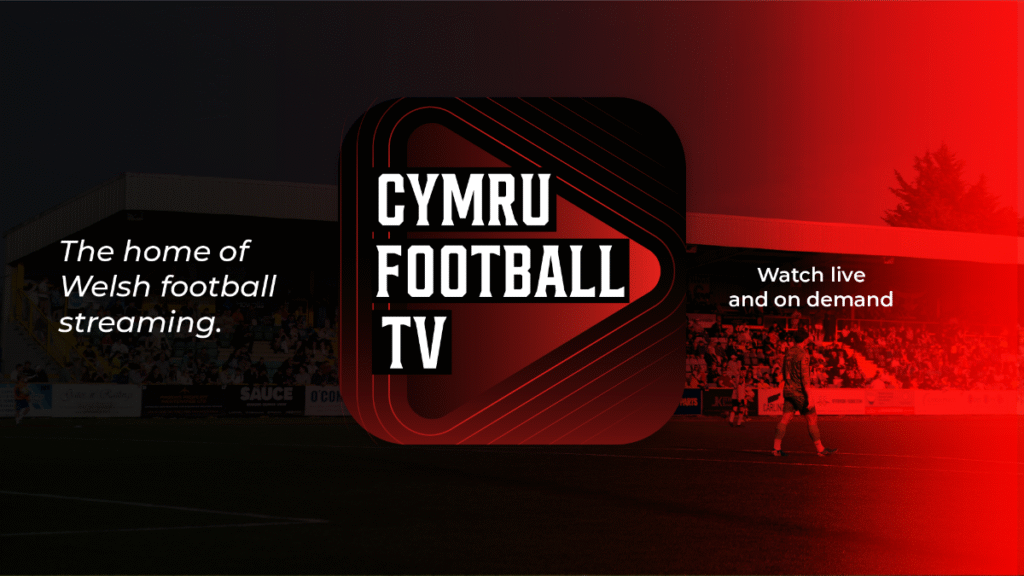
Cymru Football TV is the place to watch every Novira Cymru Premier match live, offering supporters greater access to the top flight of Welsh men’s domestic football than ever before.
A subscription provides access to selected live domestic fixtures from across the Welsh football pyramid, Cymru national team age-group matches, and exclusive FAW documentaries. Domestic cup draws will continue to be available to watch free of charge, with more content to be announced throughout the season.
S4C is an official broadcast partner of Welsh domestic football, offering more than 40 live matches every season from Wales’ leading league and cup competitions, alongside highlights, goals, analysis and exclusive content across broadcast, digital and social platforms.
Selected Novira Cymru Premier fixtures will be shown live on S4C Clic, BBC iPlayer and Sgorio’s YouTube channel. Four of the first eight selected fixtures taking place on Friday evenings, and Saturdays will be the other regular match day for Sgorio fixtures.
How to watch the Novira Cymru Premier
Cymru Football TV is the primary destination to watch every league match live throughout the 2026/27 season.
Subscribers can enjoy:
- Every Novira Cymru Premier match live
- Selected domestic live fixtures
- Cymru national team age-group matches
- Exclusive FAW documentaries and original content
- Free access to domestic cup draws
Match Subscription – £8.99
This is the option for supporters who want to watch selected games without committing to a longer subscription.
Pick below which club you want to watch, and then you’ll have an option of what match you’d like to buy a pass for.
Airbus UK Broughton
Ammanford
Barry Town United
Briton Ferry Llansawel
Caernarfon Town
Cambrian United
Cardiff Met
Colwyn Bay
Connah’s Quay Nomads
Flint Town United
Haverfordwest County
Holywell Town
Llandudno
Penybont
The New Saints
Trefelin
Monthly Subscription – £12.99
This option is for supporters who want regular access throughout the season and the flexibility to follow multiple matches.
Monthly Subscription
Season Subscription – £99.99
This provides access throughout the season, allowing you to follow the Cymru Football TV coverage and enjoy live Welsh football all year round.
Season Subscription
Streaming
To access Cymru Football TV, simply visit the website, log in with your account details, and choose the match or content you want to watch.
There is no app to download — Cymru Football TV works directly through your internet browser, giving you the flexibility to watch on a range of devices.
Watching on a Desktop or Laptop
You can watch Cymru Football TV on your desktop computer or laptop.
Simply:
- Open your preferred web browser (such as Google Chrome, Safari, Microsoft Edge, or Firefox).
- Visit the Cymru Football TV website.
- Select Log In and enter your account details.
- Choose the live match or programme you want to watch.
For the best viewing experience, we recommend using a reliable internet connection and keeping your browser updated.
Watching on Your Mobile Phone or Tablet
Cymru Football TV is fully compatible with mobile devices, allowing you to watch live football wherever you are.
To watch on your phone or tablet:
- Open your internet browser.
- Visit the Cymru Football TV website.
- Log in to your account.
- Select your chosen match and start watching.
You can use browsers including Safari on iPhone and Google Chrome on Android devices.
Watching on Your TV
Although Cymru Football TV is accessed through a web browser, you can still enjoy matches on the big screen.
Depending on your device, you may be able to share or cast the stream from your phone, tablet, or computer to your television.
Options may include:
- Apple AirPlay – share from an iPhone, iPad, or Mac to a compatible TV or Apple TV device.
- Google Cast / Chromecast – cast from a supported mobile device or Chrome browser.
- Screen Mirroring – mirror your device display directly to a compatible smart TV.
Using Apple AirPlay
Apple AirPlay allows you to send video from an Apple device to a compatible TV, Apple TV, or AirPlay-enabled television.
There are two ways to use AirPlay:
Option 1: AirPlay Video Streaming
AirPlay Video Streaming allows your TV to play the video directly while your iPhone, iPad, or Mac acts as a remote control.
How to use AirPlay Video Streaming on iPhone or iPad:
- Open Safari on your iPhone or iPad.
- Visit the Cymru Football TV website.
- Log in and start watching your chosen match.
- Tap the AirPlay icon (a rectangle with a triangle underneath), if available.
- Select your compatible TV or Apple TV device.
- The match will begin playing on your television.
Your phone can then be used to pause, play, adjust volume, or stop playback.
If you cannot see the AirPlay button:
Some web browsers or video players may not support direct AirPlay streaming. In this case, use Screen Mirroring instead.
For the best experience, make sure your device and television are connected to the same Wi-Fi network.
Option 2: AirPlay Screen Mirroring
Screen Mirroring displays everything shown on your iPhone, iPad, or Mac directly on your TV.
How to use AirPlay Screen Mirroring on iPhone or iPad:
- Open Safari.
- Visit the Cymru Football TV website.
- Log in and start your chosen match.
- Swipe down from the top-right corner of your screen to open Control Centre.
- Tap Screen Mirroring.
- Select your TV or Apple TV device.
Your device screen will now appear on your television.
To stop mirroring:
- Open Control Centre again.
- Select Screen Mirroring.
- Tap Stop Mirroring.
Using AirPlay from a Mac
If you are watching Cymru Football TV on a Mac:
- Open Safari or your preferred browser.
- Visit Cymru Football TV.
- Log in and start watching.
- Click the Control Centre icon in the top menu bar.
- Select Screen Mirroring.
- Choose your compatible TV or Apple TV.
- Your Mac display will appear on your television.
Using Google Cast / Chromecast
Google Cast allows you to send video from supported devices to a Chromecast device or a smart TV with Google Cast built in.
Casting from Google Chrome on a computer:
- Open Google Chrome on your laptop or desktop.
- Visit Cymru Football TV.
- Log in and start watching.
- Click the three dots menu in the top-right corner of Chrome.
- Select Cast.
- Choose your Chromecast device or compatible TV.
- Select whether you want to cast:
– The browser tab
– The entire screen
The TV will then display Cymru Football TV.
Casting from an Android phone:
- Open Cymru Football TV using Google Chrome.
- Log in and start watching.
- Open your phone’s quick settings menu.
- Select Cast, Screen Cast, Smart View, or a similar option (the name depends on your device).
- Select your Chromecast device or compatible TV.
- Your phone screen will appear on your television.
Using Screen Mirroring
Screen Mirroring sends your entire device display to your TV.
This is useful if your device does not support direct casting.
Android Screen Mirroring:
- Open Cymru Football TV in your browser.
- Start watching your chosen match.
- Open your phone settings or quick settings menu.
- Select:
– Screen Cast
– Smart View
– Wireless Display
– Screen Share
– Choose your television.
– Your phone display will appear on your TV.
Windows Screen Mirroring:
If watching on a Windows laptop:
- Open Cymru Football TV
- Press Windows Key + K.
- Select your compatible wireless display.
- Your laptop screen will appear on your TV.
Troubleshooting
My TV is not appearing
Check that:
- Your TV and device are connected to the same Wi-Fi network.
- Your TV supports AirPlay, Chromecast, or screen mirroring.
- Your TV software is updated.
- Your browser is updated.
Cymru Football TV is designed to work through your web browser, giving you the flexibility to watch on your phone, tablet, laptop, or share the action to your television.
Add Cymru Football TV to Your Mobile Home Screen
While Cymru Football TV does not require an app, you can create a shortcut on your phone that looks and works like an app.
This places an icon on your home screen, allowing you to open Cymru Football TV quickly through your chosen web browser.
iPhone (Safari)
- Open Safari on your iPhone.
- Visit the Cymru Football TV website.
- Tap the Share button (the square icon with an arrow pointing upwards).
- Scroll down and select Add to Home Screen.
- Choose a name for the shortcut (for example, “Cymru Football TV”).
Tap Add.
The Cymru Football TV icon will now appear on your home screen.
Android Phone (Google Chrome)
- Open Google Chrome on your phone.
- Visit the Cymru Football TV website.
- Tap the three dots menu in the top-right corner.
- Select Add to Home screen or Install app (depending on your device).
Confirm the name and tap Add.
A shortcut will now appear on your home screen, giving you quick access to Cymru Football TV.